 TVcalendar
Your family calendar, on the TV
TVcalendar puts your Google Calendar on your Android TV or Google TV: today, the week and the month from the couch, and a family calendar screensaver when the TV is idle.

On your TV: open Google Play and search TVcalendar, or on play.google.com choose your TV under Install.
Free with all your Google calendars. Premium: 7 days free.
Screensaver
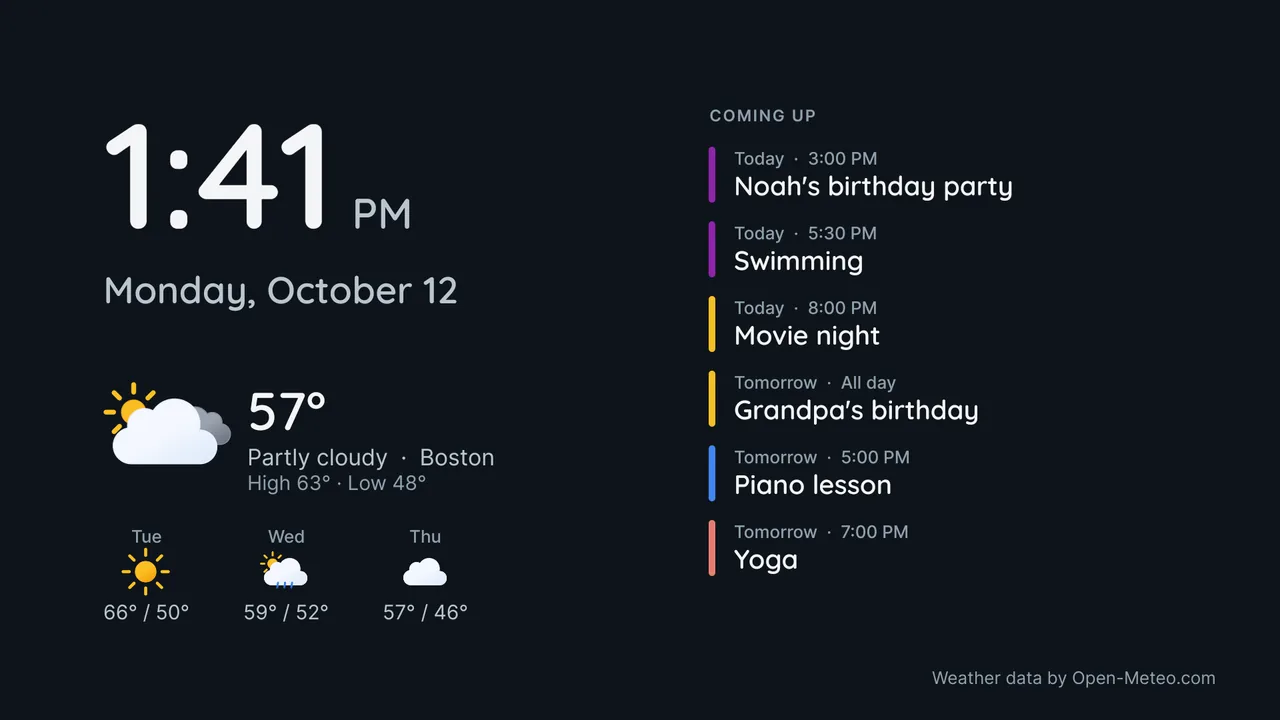
The TVcalendar screensaver: it comes up by itself when the TV is idle.
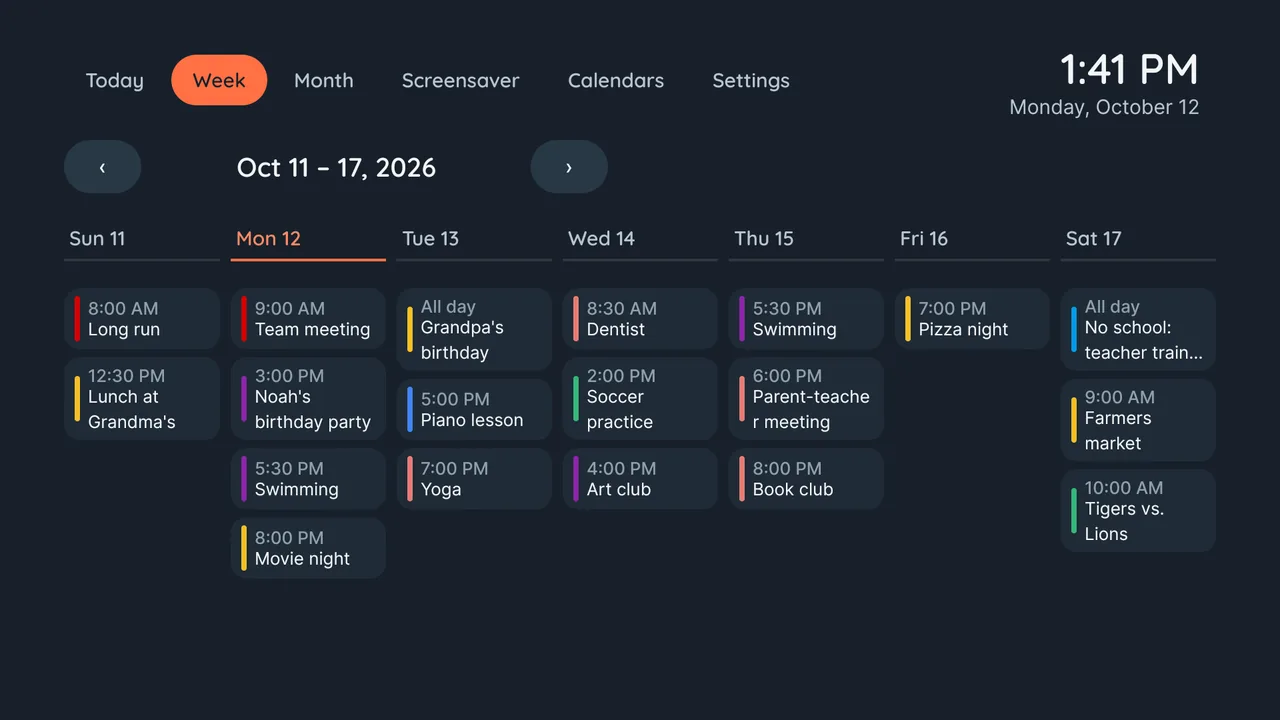
Week Premium
The whole family at a glance
Everyone's week side by side, one colour per person. Swimming, piano, the dentist and Saturday's match: no more "I didn't know".
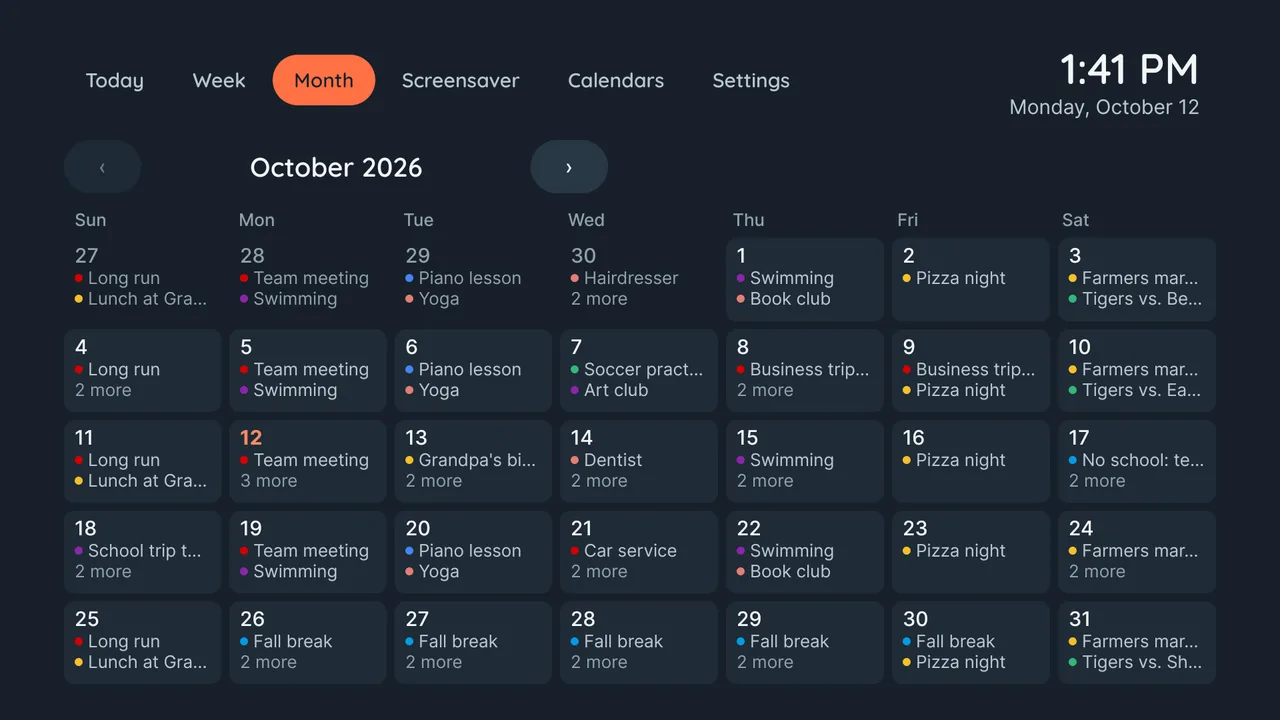
Month Premium
The whole month, no phone needed
Birthdays, school holidays and outings over the whole month. Open a day to see its week.
Calendars
Every calendar in one place
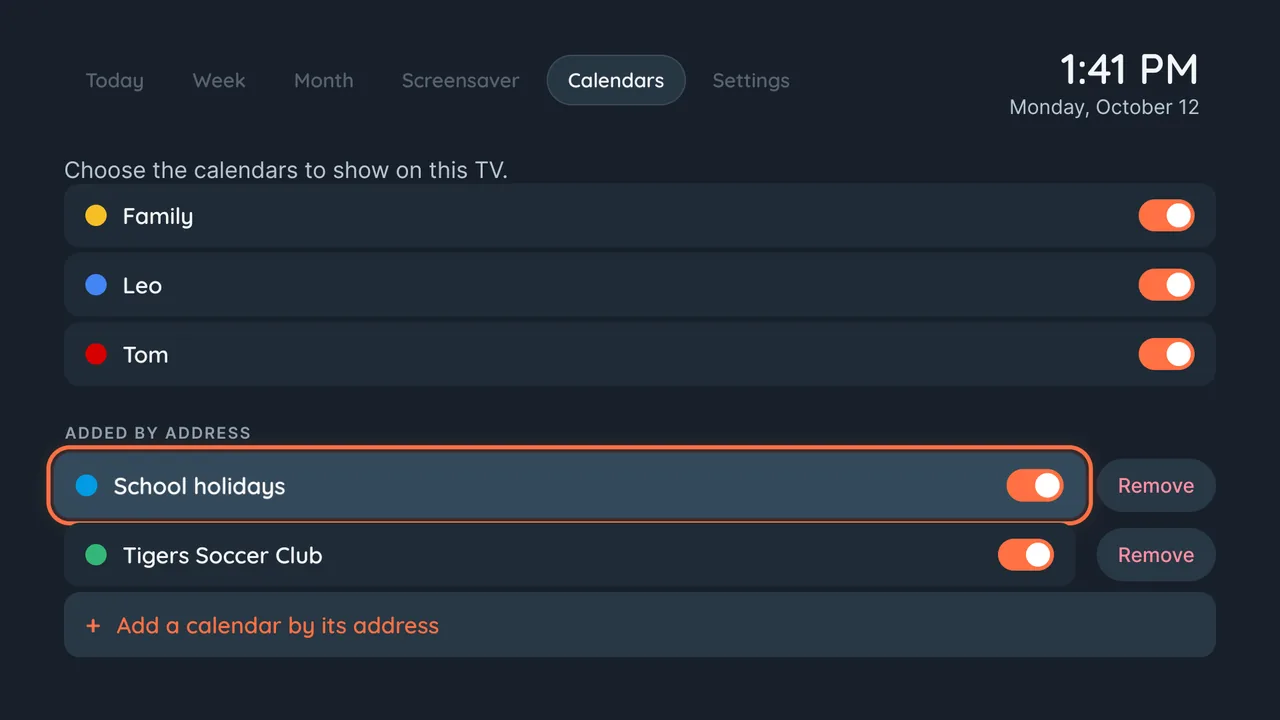
The calendars of your Google account, plus any calendar with an iCal address: school, sports club, public holidays. Choose which ones the TV shows.
Premium Calendars added by their address.
Screensaver
A screensaver that is actually useful
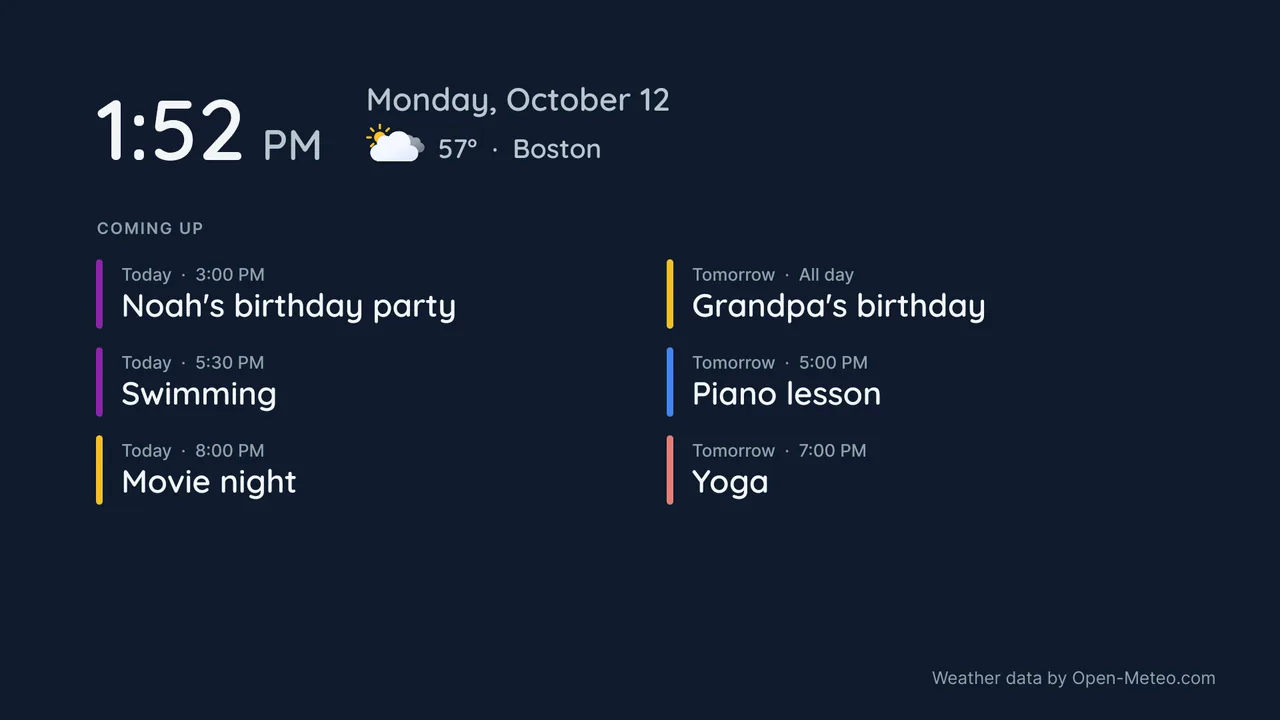
When nobody is watching, the TV shows the time, the date and what's next for the family, in large type made to be read from across the room.
- On most TVs, TVcalendar sets itself up as the screensaver from the remote, after a one-time permission. On some TVs, you choose it in the TV's settings or with one command from a computer.
- Today's weather and the forecast for your city. Premium
- Make it yours: layouts (here, Agenda on night blue), clocks, backgrounds and an energy-saving night mode, with a live preview. Premium
- Or leave the ambient screen on, like a digital family calendar for the kitchen.
How it works
Ready in two minutes, without typing on the remote
Install
Get TVcalendar from Google Play on your Android TV or Google TV.
Scan
Scan the QR code on the TV with your phone and sign in with Google.
Done
Your calendars are on the TV. Keep adding events from your phone as you do today.
Free and Premium
Free to show the family, Premium to plan
Free
- All the calendars of your Google account, one colour per calendar
- The today view
- The ambient screen and the screensaver: clock, date and next events
Premium
Yearly with a 7-day free trial, or a one-time lifetime unlock
- The week and month views
- Calendars added by iCal address
- Today's weather and the forecast on the ambient screen
- Your own look: layouts, clocks, backgrounds, energy-saving night mode
Prices are shown in the app before you buy. The subscription can be cancelled anytime in Google Play.
Questions
Good to know
Which TVs does it work on?
Android TV and Google TV from Android 7: Chromecast with Google TV, Google TV Streamer, Nvidia Shield, and TVs from Sony, TCL, Philips, Hisense and others running Google TV or Android TV.
Can I add or change events on the TV?
No, on purpose. TVcalendar shows your calendars and never changes them. Keep adding events from your phone or computer; they show up on the TV.
Where are my events stored?
Nowhere but Google and your TV. The TV reads your events directly from Google Calendar, read-only. Our servers only relay the sign-in and the calendar addresses from your phone to your TV.
Do I need a Google account?
Yes, to show Google calendars. With Premium you can also add any calendar that has an iCal address, such as a school or sports club calendar.
How do I cancel Premium?
The yearly subscription is managed by Google Play: open Google Play, Payments and subscriptions, Subscriptions. The lifetime unlock is a one-time purchase.